
Freelance editors
Problem: 4K scratch disks hammered during exports.
Signal: interface CRC spikes + rising pending sectors.
Habit: weekly backup verification + replace scratch disks early.
Disk health · SMART · Early warning
Hard Disk Sentinelturns noisy SMART counters into a clear story: temperature trends, wear hints, and reliability signals you can act on. This site collects practical workflows, field-style scenarios, and fixes, written for readers who want calm, defensible decisions.
Independent resource.harddisksentinel.io is an independent educational resource.
Trend-aware
Health is not a single number — it is a slope. Sentinel shines when you compare today’s counters with last month.
Thermal reality
Heat accelerates wear and throttling. Watching peaks during sustained loads catches cooling issues early.
Backup first
Monitoring buys time; backups buy recovery. Any serious workflow pairs alerts with a restore drill.
Site coverage
Practical explainers — not marketing fluff. We connect how Hard Disk Sentinel surfaces SMART and thermals with habits that survive real hardware, cables, and noisy workloads.
HDD and SSD workflows, failure omens, NAS and dock quirks — written so you can correlate symptoms with telemetry.
Which attributes deserve week-over-week deltas, how to log context after firmware or cable changes, and when a flat “OK” still misleads.
NVMe, SATA, USB bridges, and NAS paths change what SMART whispers. We map blind spots before you retire the wrong disk.
Checklists, escalation ladders, backup drills, and export filenames that keep support threads honest.
We point to official references for installers and manuals so you build muscle memory around known-good sources — the rest is interpretation practice.
Inside the app
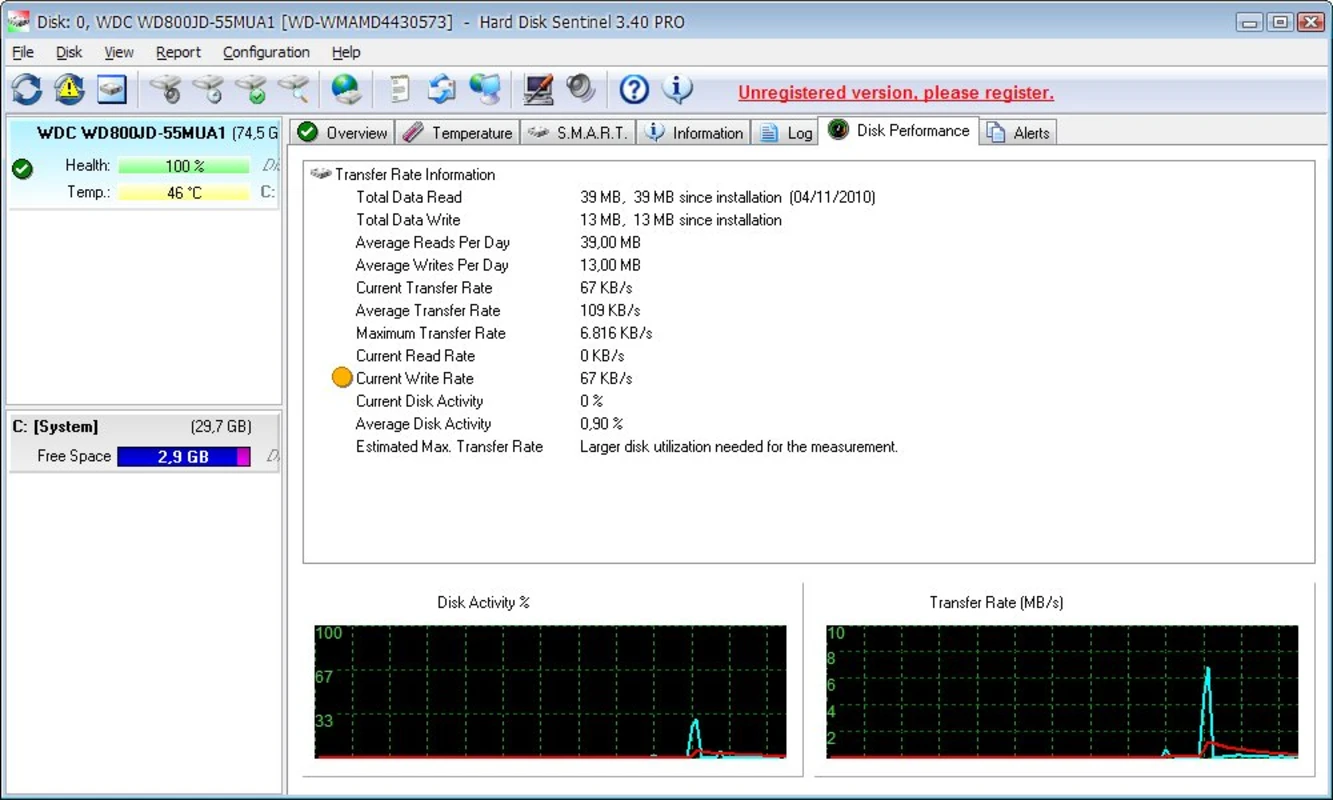
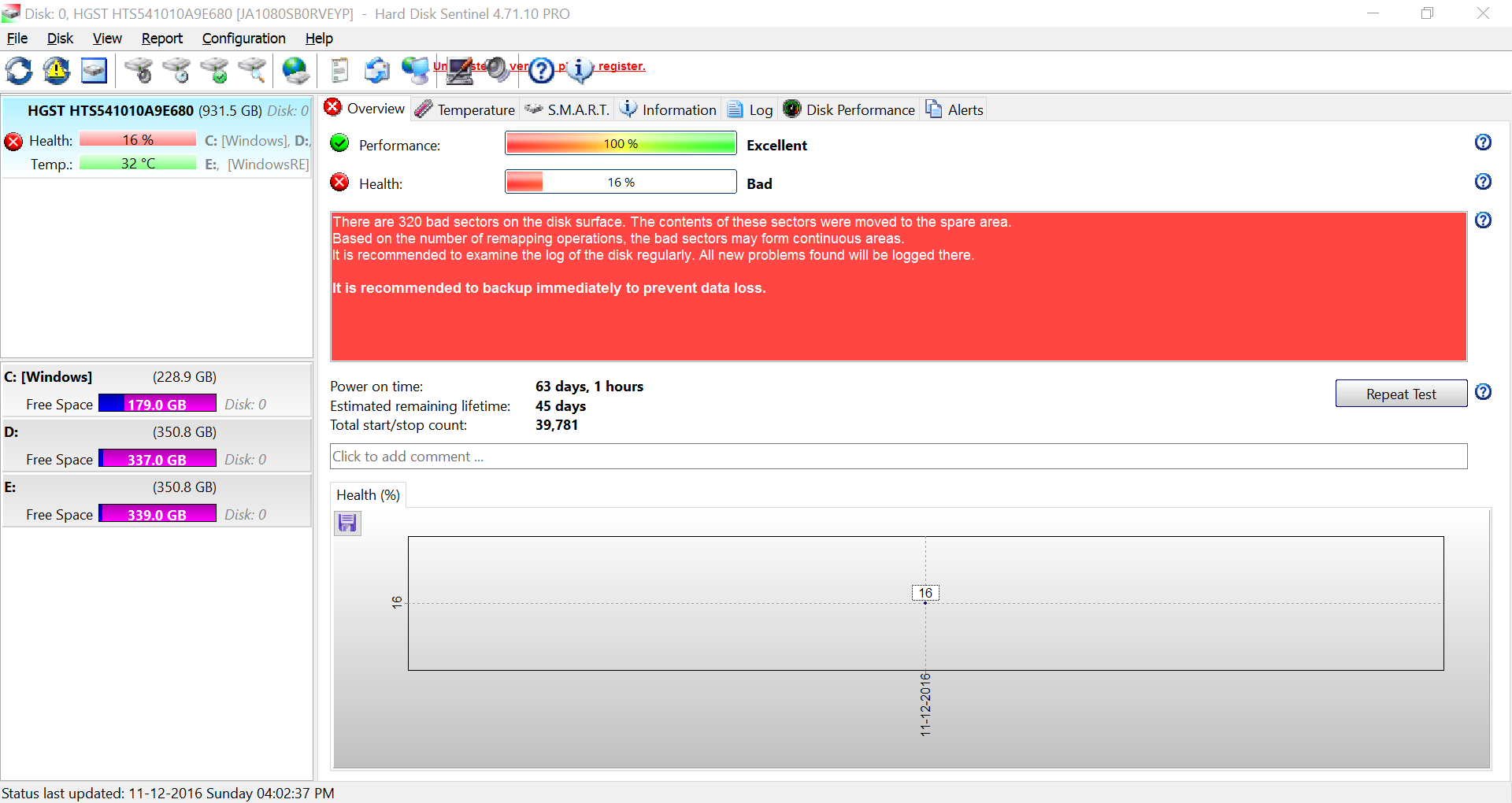
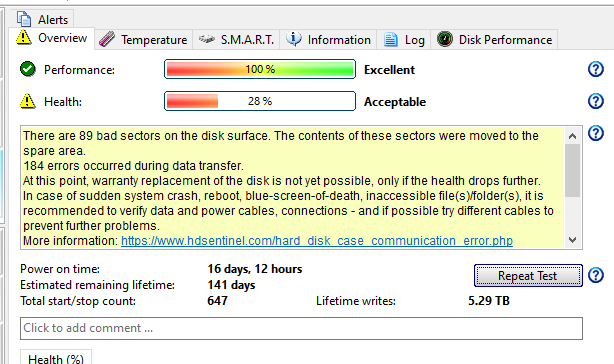
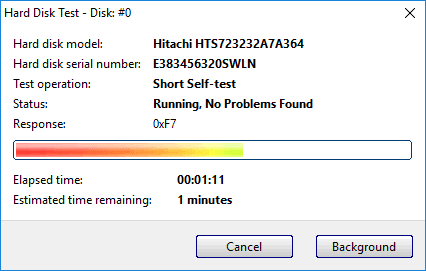
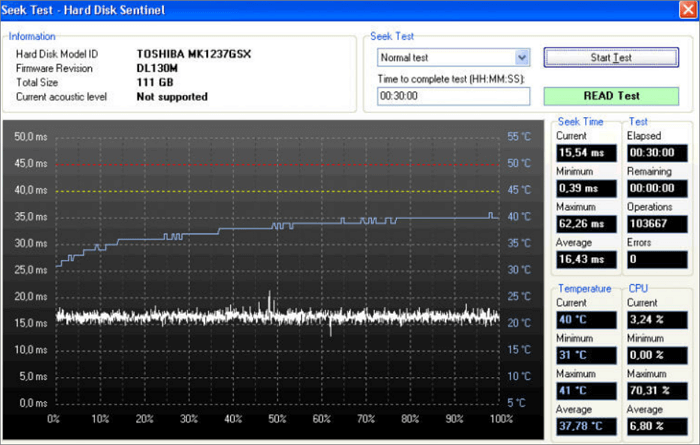
Screenshots from the Windows edition: health summaries, SMART detail, and drive overview — the same views our guides refer to.
Operator habits
Sentinel is honest about telemetry and blind to your room: workload, enclosure, and recent changes rewrite the same numbers.
Gaming bursts, backups, indexing, and AV scans paint temperature spikes. Log what was running when you screenshot so tomorrow’s comparison is fair.
A single “Good” badge means less than realloc deltas, interface errors, or temperature creep across quiet weeks. Export during calm periods.
Firmware updates, driver installs, new cables, and fan swaps belong beside SMART exports. Correlation beats panic.
Same SMART screen — different stories depending on workload, enclosure, and whether you are looking at a spike or a slope.
One hot afternoon or a single backup burst can peak temperatures without implying failure. Realloc counts that keep climbing across quiet weeks do.
Sequential throughput can hide latency tails. Stuttering saves with light disk IO often precede SMART drama — note both.
USB-C docks and cheap SATA bridges inject CRC noise or hide attributes. Rule out the cable and chipset before you blame platters or NAND.
Disk or motherboard firmware updates can shift how counters surface. Export before updates and label files with build numbers — your prior slope still matters, but apples-to-apples needs context.
Evidence & exports
Support threads and RMA desks reward continuity — not panic PNGs. Pair Sentinel exports with context so deltas tell a coherent story.
After a calm week on a healthy machine, snapshot SMART and note ambient temps plus workload. Future-you compares slopes, not vibes.
For USB disks, store enclosure model and cable length next to the drive serial. CRC climbs often impersonate sick platters until you isolate the bridge.
Short tests for quick sanity; extended tests when realloc or pending sectors argue. Avoid hammering a thermally stressed disk during throttle episodes.
SMART dashboards, thermal timelines, self-tests, and exports — how Sentinel surfaces reality without drowning you in hex.
View all features OfficialVendor download link, English manual, FAQ, and compatibility — curated so you install from the source you trust.
Go to download pageDisk monitoring makes sense only when the vocabulary matches reality. Here is how we use these terms across the site — and inside Hard Disk Sentinel.
SMART is firmware-reported telemetry: counters, flags, and tests that describe how a drive treats errors internally. Sentinel turns raw tables into comparable views — but “PASS” today does not promise tomorrow if slopes creep upward.
Summary percentages compress complexity. Power decisions from trends (reallocated sectors, pending sectors, timeout/CRC errors, wear level on SSDs) and temperature peaks — not from a single aggregate badge.
When the disk remaps weak spots into spare pools, realloc counts rise. Pending sectors often appear before permanent remaps — treat acceleration as risk even when totals look “small.”
TBW and percentage wear describe NAND endurance. Heavy caches, databases, and scratch disks burn writes faster than typical office use — estimate duty cycle before trusting “fine for years” hype.

Why logging matters: Export SMART snapshots after OS upgrades, firmware updates, or case fan swaps. Context explains jumps that otherwise look like random noise.
Spinning disks fail mechanically and acoustically; SSDs fail electrically and through NAND wear. Sentinel exposes both — your interpretation changes with media type.
Trend beats snapshot. Compare week-over-week, not vendor marketing thresholds alone.
| Topic | Typical HDD signals | Typical SSD signals |
|---|---|---|
| Wear model | Bearings, platters, seeks — realloc sectors & mechanical noise | NAND cells & mapping — wear %, grown defects, TBW cadence |
| Thermal story | Sustained loads in warm cases; airflow fixes often help | Short bursts + throttle events under heavy writes |
| Cable / bridge issues | CRC / interface errors — replace cables before blaming platters | Same — NVMe resets point at driver/firmware/reseat paths |
Sentinel reads disks — your process decides what “healthy” means for each machine.
Short tests catch obvious defects quickly; extended tests stress surfaces longer but tie up the disk. Schedule extended runs overnight on laptops when thermals are stable — not during thermal throttle episodes.
Compare results across runs. A passing test after a previous marginal run still deserves trending — firmware may remap silently between attempts.
SMART passthrough depends on the enclosure chipset. Log which adapter you used next to serial numbers — cheap docks hide attributes or report stale cached values.
When CRC or communication errors climb on external disks, swap cables and ports before declaring the drive dead.
Unclean shutdowns stress filesystem metadata and can amplify latent defects. After outages, inspect SMART for realloc jumps even when the OS boots “fine.”
UPS + validated backups beat optimism — Sentinel tells you when physics disagrees with luck.
Same product — different urgency. Follow one lane so you do not drown in overlapping guides.
SMART dashboards, thermal timelines, self-tests, and exports — how Sentinel surfaces reality without drowning you in hex.
Use this as a triage ladder — not legal advice. Uncertainty favors cloning first.
The same discipline scales from a single laptop to a stack of drives on a test bench — capture reality, watch slopes, then decide with evidence.
The bus between the controller and your disk shapes which SMART attributes look crisp, which look delayed, and which disappear behind a bridge chip.
Bench reality
SMART rides bridges and power. Before you blame the platter, isolate vibration, thermal soak, and flaky adapters.
Recirculated hot air and clogged filters stall recovery after load. Watch whether temps fall within minutes or plateau high — that is enclosure physics.
USB and Thunderbolt enclosures remap errors. When CRC or interface counters tick, swap cables and ports before retirement — we map the blind spots.
Brownouts, aggressive sleep, and underpowered bricks cause dropouts that masquerade as disk sickness. Note host logs when counters stutter.
Four recurring profiles — each with a different “load-bearing” metric.
Problem: 4K scratch disks hammered during exports.
Signal: interface CRC spikes + rising pending sectors.
Habit: weekly backup verification + replace scratch disks early.
Problem: vibration + shared cooling.
Signal: SMART 197/198 creeping up on specific bays.
Habit: rotate cold spares before RAID rebuild stress.
Problem: NVMe thermal throttling during sustained writes.
Signal: thermal log peaks + controller throttle flags.
Habit: heat spreaders, case airflow, split caches.
Problem: laptops travel — shocks matter.
Signal: sudden reallocated sector jumps after drops.
Habit: cloud sync + disk image before semester starts.
Stories help readers remember the lesson: disk failures often whisper — heat curves, slowly climbing realloc counts, or louder heads — before they shout. Pair patience with backups.
Monitoring tells you whether to act; the move method depends on how much time you think the disk has left and how paranoid you are about hidden defects.
Best when realloc or pending sectors are moving and you want every partition and recovery partition cloned bit-for-bit. Slower, but preserves layouts exactly — ideal before RMA or forensic continuity.
Watch temperatures during long clones; pause if the disk thermal-throttles or throws new interface errors.
Strong when the partition table is healthy but you need versioned backups. Pair image exports with a fresh SMART snapshot so support threads show before/after context.
Validate restores on another disk quarterly — an image you cannot mount under stress is not a plan.
For laptops with flaky NVMe links, prioritise irreplaceable folders to cloud or NAS first — small batches reduce sustained heat and retry pressure on a tired drive.
Keep local exports of encryption keys and sync state; evacuation without credentials recovery is another failure mode.
For step-by-step habits around backups and verification, start with backup strategy before disk failure — then loop back to escalation cues above.
Field notes
Composite patterns — anonymized — that pair soft symptoms with SMART trends. Each article links deeper workflows elsewhere on the site.
Latency tails, acoustic shifts, and filesystem friction — the soft cues we compare with realloc trends and interface errors.
Open guide →Which attributes deserve week-over-week exports — and which raw numbers confuse beginners until firmware context arrives.
Open guide →Versioning cadence, offline rotation, and restore drills that earn confidence when counters start moving.
Open guide →Step-by-step workflows, failure omens, and metrics — separate pages so you can share links and rank cleanly.
Baselines, temperatures, self-tests, and when realloc slopes force migration.
Open guide →TBW pacing, thermal throttle clues, and avoiding false confidence.
Open guide →Latency tails, filesystem friction, and acoustic shifts before SMART spikes.
Open guide →Which attributes reward trending — and which confuse beginners.
Open guide →Peak temps during sustained work — not idle averages — predict summer surprises.
Open guide →Bridges, bays, vibration — habits when disks live outside the motherboard.
Open guide →Versioning, offline rotation, and restore drills before failure bites.
Open guide →When small counts still matter — pending vs permanent pools.
Open guide →Start here
Independent guides for HDD, SSD, USB/NAS, and alerts. Software itself is only from the official publisher.
Baselines, realloc slopes, and acoustic/latency clues before SMART spikes.
Open topic →
Wear leveling vs false confidence, plus thermal logs under load.
Open topic →
USB bridges, bays, and vibration when disks live off the motherboard.
Open topic →
Which counters decide, and restore drills before the disk quits.
Open topic →
FAQ snapshot
Start here, then open the full FAQ for deeper follow-ups and links.
No — some failures arrive quietly. Pair counters with backups you have actually restored, not optimism.
Different physics: wear counters and thermals on SSDs versus realloc noise and mechanical cues on HDDs. Same discipline: slopes beat snapshots.
Firmware maps SMART differently. Compare each disk to its own history, not to your mental model of “normal” raw numbers.
Never. Monitoring buys time; versioned backups plus verified restores buy recovery.
Same product — different urgency. Follow one lane so you do not drown in overlapping guides.
Foundations
Operators
Product mechanics live on Features; verified installers on Download.
Read the long-form guides — HDD vs SSD checks, failure omens, NAS habits — then wire alerts so quiet degradation becomes visible.
Explore the blog