
01
Day one
Let the machine reach steady idle; capture SMART + temps before loading heavy games or compilers — your baseline calendar starts here.
Official sources
Use trusted download links and keep release notes together with each installer.
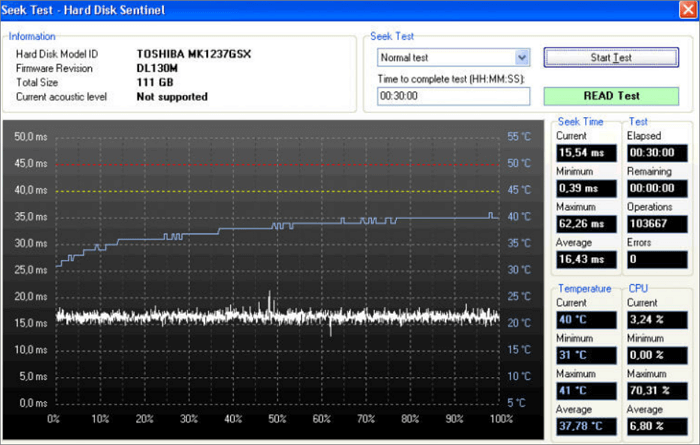
Prefer offline installers for lab machines? Download once, verify checksums when the vendor publishes them, and archive paired release notes.
harddisksentinel.io is an independent educational guide.
Binaries are only step zero — calibration turns telemetry into decisions.
Day one
Let the machine reach steady idle; capture SMART + temps before loading heavy games or compilers — your baseline calendar starts here.
Week one
Run planned workloads (backup job, render test) and log peaks. Attach dock/cable notes for external disks.
Ongoing
Reconcile exports monthly; revisit thresholds after BIOS, firmware, or enclosure swaps — silent upgrades shift thermal envelopes.
Monitoring apps evolve with Windows — pairing disciplined downloads with a quick read of vendor notes prevents “nothing changed except Tuesday’s patch Tuesday.”
Labs & fleets
Pin known-good installers beside a one-line changelog file. Roll upgrades during maintenance windows — then re-export SMART so new builds never get blamed for old slopes.
Checksums
When the vendor publishes hashes, verify before running elevated installers — especially on shared imaging shares where filenames collide.
Docs first
Skim the English manual’s compatibility section after motherboard or storage-controller swaps — driver stacks influence USB bridges and NVMe visibility.
Save this page for download references: Download.
See how dashboards, SMART tables, and thermal graphs fit together —